PhotoStory Pro3.1
Publisher Description
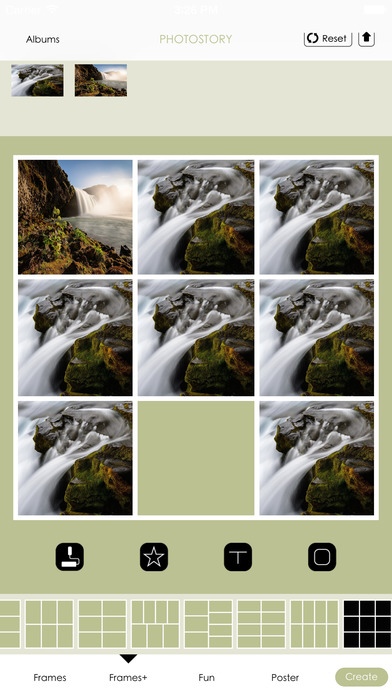
PhotoStory
New features:
* Support for iPhone5.
* Add Frames.
* Add Lovely stickers.
* Change border size.
* Beautiful background images.
* Change background color or background images.
* Write something in the Text Box. Color of Text is changeable. Size of Text is changeable, Font of Text is changeable.
* Change text font, change color of text, change size of text.
* Provide a variety of photo templates.
* Use powerful Aviary Image Editor, you can edit the picture
- Photo Effects, Brightness, Enhance, Add Text, Crop, Flip, Rotate, Blur, Draw, Stickers, Redeye, Whiten, Blemish
Etc.
* You can create custom templates, and customize their own typesetting.
* Save to the photo album
* Send to a friend via email
* Share on Facebook
* Share on Twitter.
* If you have installed Instagram app, you can share your work through Instagram.
Requires iOS 8.0 or later. Compatible with iPhone, iPad, and iPod touch.
About PhotoStory Pro
The company that develops PhotoStory Pro is dodosmart Inc.. The latest version released by its developer is 3.1.
To install PhotoStory Pro on your iOS device, just click the green Continue To App button above to start the installation process. The app is listed on our website since 2012-09-18 and was downloaded 3 times. We have already checked if the download link is safe, however for your own protection we recommend that you scan the downloaded app with your antivirus. Your antivirus may detect the PhotoStory Pro as malware if the download link is broken.
How to install PhotoStory Pro on your iOS device:
- Click on the Continue To App button on our website. This will redirect you to the App Store.
- Once the PhotoStory Pro is shown in the iTunes listing of your iOS device, you can start its download and installation. Tap on the GET button to the right of the app to start downloading it.
- If you are not logged-in the iOS appstore app, you'll be prompted for your your Apple ID and/or password.
- After PhotoStory Pro is downloaded, you'll see an INSTALL button to the right. Tap on it to start the actual installation of the iOS app.
- Once installation is finished you can tap on the OPEN button to start it. Its icon will also be added to your device home screen.
